Welcome back my Caffeinated Creatives, it has been a minute!
Let me catch you up. Since the last time I popped into your feed, I sold my house in Florida, packed up a life, and moved to Dallas, Texas. The small beach town I was in had started to feel smaller by the week, and I was craving a bigger city, more friends nearby, and a little more room to grow into the next version of me. So here I am. New city, new home, new coffee shops to explore. New everything!
A lot has changed for me personally, but a lot has also changed in the AI world since I last wrote, which is the part I actually want to talk about today… Because, holy smokes. The tools we were all squinting at six months ago now look like baby teeth compared to what is out right now. If you stepped away from the AI exploration because you were finally getting comfortable in mastering the capabilities of ChatGPT, let me pour you a refill and walk you through where things have landed, at least from the corner of the room where UX designers live.
Here is what I did. I spent a week running the same actual design work through the five biggest AI models on the market right now. Not benchmarks. Not trick questions about how many Rs are in “strawberry.” Real work. Brand research, a site audit for a client, homepage and landing page thinking, headline and body copy, some low-fidelity layout exploration, and one long afternoon wrestling with a Figma file.
By Friday, three of them were still open out of politeness. Two of them had genuinely changed how I was working.
Why these five AI models?
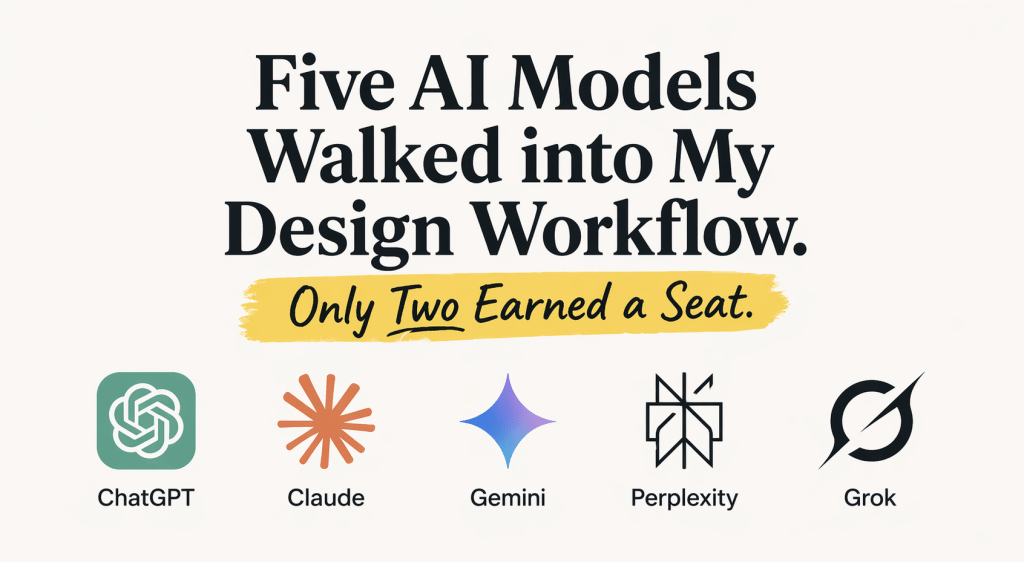
Before anyone asks: yes, I picked the obvious ones. ChatGPT, Claude, Gemini, Perplexity, and Grok. There are a hundred AI tools I could have tested, and some of them are probably great. But I wanted to answer a very specific question: if a working UX designer opens a new tab right now, what is actually worth the tab real estate?
A few quick criteria for the lineup. Each of these has real adoption among designers and design-adjacent folks. Each has a consumer-facing chat interface you can actually conversate with, and each brings something to the table beyond “it writes words at you.” I also did some research on the top used models and these were the ones continually highlighted.
Here are the top 5 models that I experimented with:
- ChatGPT (GPT-5.4). My current default, and probably the one everyone already has open in a tab.
- Claude (Opus 4.7). The one writers, and design teams seem to be recommending a lot lately.
- Gemini (3.1 Pro). Google’s attempt at AI.
- Perplexity. The research genius, or so I heard.
- Grok 4. The one with X integration (The Wildcard! I saw this on tiktok so thought I’d explore it).
The quick verdict on three of them
I want to be fair here. These three are not bad tools. They just are not the tools I want sitting next to my Figma file at 2pm on a Tuesday.
Gemini is strong if you live in Google Workspace. Pulling context from Gmail, Docs, and Drive into a single conversation is genuinely useful, especially for research round-ups where half your source material is already in a shared drive somewhere. The problem is the writing. Ask Gemini to draft a homepage headline or an about page intro and it hands you back something that reads like four people approved it before it reached you. Technically correct. Spiritually beige. A good co-pilot, not a great collaborator.
Perplexity is the research sidekick I reach for when I need to do a fast competitive scan or gather trend data with real sources attached. Every response cites where it came from, which matters when you are assembling a client-facing audit and do not want to get caught quoting someone who made something up on Reddit in 2019. But ask it to write a homepage headline or brainstorm some hero section directions and it wants to give you a sourced report about hero sections instead of actually writing any. It is a research tool with a chat interface bolted on, and it knows it.
Grok has its moments. If you need to know what people on X are saying about a product launch in the last hour, Grok can grab that. Real-time social signal is a real use case. Beyond that, the personality layer gets in the way. I am here to build out a homepage, not to banter about it. Your mileage will vary depending on how much you enjoy a chatbot that feels like it is workshopping material.
None of these got deleted from my bookmarks. All three got closed before lunch on day two.
The two that earned a seat
Here is where it gets interesting. Claude and ChatGPT are not just passable at design work. They changed how I was working by the end of the week, in genuinely different ways, which is why they both earned a permanent spot instead of cancelling each other out.
Claude: the one that thinks like a designer
Claude is the tool I reach for when the work requires actual thinking, and real designing. That sounds mean to the other four. It is not meant to. I mean it in a very specific way.
Claude holds up when you throw real client work at it. Here is an example from this week. A client was using a PowerPoint I had originally built for them back when we did their website build and brand work. Our content team had poured hours into the copy, but the deck just was not working anymore for what the presentation needed to do. Wrong tone for the room, visual style not quite right, slides too dense to land in a live setting.
So I pulled the existing deck, their brand guide, and a reference to their live site and handed the whole pile to Claude. My prompt was not complicated. Clean it up and restyle it, but do not touch the brand, the colors, or the content. Add iconography where it helps. Add visuals where the slide needs breathing room. Make the whole thing more digestible without losing a single word of what the content team meticulously built.
What Claude gave me back was a fully functional, editable PowerPoint file that was a better version of what I had originally designed. It got the words right. It got the brand right. Did I still have to finesse some final details? Of course. That is the job. But it cut my design time by well over half and the starting point was stronger than anything I would have produced from scratch in the same window. That is the moment a tool goes from “kind of useful” to “actually part of how I work now.”
The writing actually sounds like a human wrote it. Headline copy, hero section taglines, the about page that does not read like it was written by a committee, the service descriptions that need to sound like the client and not like a stock template. Claude has a feel for tone that the others are still working on. If a meaningful part of your week involves writing copy that has to match a brand voice, this alone earns Claude a permanent tab.
The Figma connection is the quiet superpower. You can set up a Figma connector inside Claude from the Settings menu and it just works. No technical setup, no plugins, no code. Behind the scenes it uses something called MCP, which is basically the plumbing that lets Claude talk directly to other apps like Figma. You do not need to know or care how it works. You just connect it once and move on.
Once it is hooked up, you can point Claude at a Figma URL and it can read the file, analyze what is there, and actually modify elements directly inside the canvas. But the part I did not see coming was what it does with FigJam. If you have not used FigJam, it is Figma’s whiteboarding tool, the messier cousin of Figma Design. Sticky notes, flowcharts, sitemaps, the kind of thing you might have used Miro for. You can throw messy notes, a screenshot of a reference site, or a client brief at Claude and get back an editable FigJam diagram of the sitemap or page structure. Typed-out mess in, structured map out. It is the fastest notes-to-sitemap workflow I have used this year.
Artifacts for quick prototyping in the chat itself. This feature is super cool and useful for my visual brain. Sketch out a hero section, a nav pattern, or a pricing block right in the conversation. Great for concept-testing a direction before you commit to building it properly in Figma. I used this twice last week to see if a layout idea had legs before touching the real file.
Where it falls short… Image generation. I cannot stress this enough. It was one of the first things I brought up to my manager and our directors about working with Claude, because the gap between what Claude can do visually and what ChatGPT can do is genuinely big. And then, as if on cue, ChatGPT dropped their new image model (Images 2.0) just a couple of days ago, and the leap is wild. It handles real text inside images, holds typography and hierarchy at 2K resolution, and can actually generate the kind of usable output you would want for a real deliverable instead of just a mood board. Claude cannot even begin to compete in this space right now, at least not at this moment. If any meaningful part of your workflow involves generating visuals, you are using ChatGPT for that part. Full stop.
The other knock is the free tier caps you fast if you are running long sessions, which for professional design work is going to push most people to the paid plan pretty quickly. Even with my works pro-plan I saw my 5 hour window usage get eaten up pretty quickly with a few larger prompt requests.
ChatGPT: the one that covers everything else
If Claude is the thoughtful collaborator, ChatGPT is the generalist. Rarely the absolute best at any one thing, but good at almost everything, and that breadth is its own kind of power.
Visuals and ideation. Image generation is actually useful here. Mood boards, concept explorations, the “what if the hero image was a frog, just to see” moments that happen in any honest design session. ChatGPT pulls ahead on this side of the work by a wide margin. Like I mentioned a few paragraphs back, Images 2.0 in ChatGPT is a GAMECHANGER.
Custom GPTs are an underused designer move. Build a GPT trained on your client’s brand voice. Build one that runs a heuristic evaluation against a specific framework you actually like. Build one that checks copy against accessibility guidelines. Share them with the team. Most designers use ChatGPT as a generic chat window. The custom GPT layer is where it gets really useful for agency work, we stress it frequently in our team meetings.
Kicking off a new client project. When I am in the discovery phase of a new website or brand engagement, ChatGPT is where I go to get my bearings quickly. Pull together industry context, rough out competitor observations, draft a first pass at brand positioning notes, gather reference directions for a creative brief. It is not going to give you the final answer on any of this, but it is a fantastic thinking partner for the messy part of a project when you are still trying to figure out what you are even looking at.
Voice and video mode is FIRE. This one I genuinely did not expect to love as much as I do. I use the live video mode constantly, even for one-off questions about Figma or Photoshop or whatever program I happen to be stuck in. I pull up video mode, point my camera at my screen, and ChatGPT walks me through whatever I am trying to figure out in real time. How do I set up this auto layout. Where is the mask option hiding in this version of Photoshop. Why is this component not behaving the way I want it to. It is like having a patient master designer sitting next to you who never makes you feel dumb for asking.
That sounds dramatic, but it really has changed how I learn new tools and solve small roadblocks. Instead of tabbing out to search for a tutorial, watching someone ramble for six minutes to get to the thirty seconds I actually needed, and then coming back to my file, I just ask. It sees what I am seeing. It explains it in the context of what I am working on. And if I did not catch it the first time, I can ask again without shame!
This is the single biggest gap between ChatGPT and Claude for me right now. Claude does not have anything close (that I’ve descovered yet at least). If you have not tried the live video mode in a real design workflow yet, this is the one I would tell you to go try first. It genuinely feels like a personal mentor at your fingertips, and once you start using it that way, it is hard to go back to typing questions into a chat window.
The breadth. Honestly, the reason ChatGPT keeps a seat is that it is the tool you reach for when you do not know yet what you need. Rough ideation, quick research, a sanity check, a first draft of anything. It is the tool that meets you where you are.
Where it falls short. The writing tends toward the generic if you do not prompt carefully. Long-document work is noticeably weaker than Claude’s. And if you have ever gotten a ChatGPT response that just felt like a content farm, that is because on its default settings, it kind of is one. You have to work at it a little to get it to sound like a person.
A few other things I have noticed working with both side by side. ChatGPT is a cheerleader. It will tell you your idea is fantastic, almost always (LOL). Claude is more honest, and for design work specifically, that honesty matters. I want a collaborator that will push back when I am making a questionable choice, not one that claps for everything.
Brand adherence is another gap. If I hand Claude a brand guide and ask it to stay on brand across a long working session, it tends to actually stay on brand. ChatGPT drifts. You can give it the same brand guide, the same tone direction, the same examples, and by round four it is slowly reverting to its default voice. For client work where the whole point is to sound like the client and not like an AI, this is a real friction point.
And the Figma situation is worth naming directly. Claude has that first-party Figma connector I talked about earlier, and ChatGPT does not have an equivalent if you are not writing code. If the Figma workflow matters to you, that alone can settle the argument.
The honest take on using both
Here is the part most comparison posts skip: you do not pick one. You use both, and the skill is knowing when to open which tab.
My rough rule of thumb after a week of testing:
- Claude gets the work that lives inside the design canvas and inside the brand. Wireframing a new page structure from a client brief, building out sitemaps in FigJam, restyling decks and proposals, writing the actual copy that has to sound like the client, translating messy notes into a clean information architecture, auditing an existing Figma file against brand guidelines, spinning up a first pass at a low-fidelity layout so I have something to react to. Anything that asks the question “does this feel right for this brand and this user?” ends up in Claude.
- ChatGPT gets the work that happens around the design. Mood boarding and concept visuals, generating hero images and graphic elements for high-fidelity mockups, exploring art direction before I commit to a direction, live video mode when I am stuck in a program and need a second set of eyes, custom GPTs for repeatable team tasks, discovery research for a new client, first-draft brainstorming when I do not even know what the page should be about yet. Anything that asks the question “what are my options here?” ends up in ChatGPT.
The way I think about it: Claude helps me execute the design, ChatGPT helps me explore the design. Execution needs accuracy, tone, and restraint. Exploration needs volume, variety, and visuals. Different tools for different halves of the same job.
If you can only afford one subscription, the tiebreaker is what you actually do more of. If most of your week is building out real client deliverables and writing, Claude wins. If most of it is ideating and making visuals, ChatGPT wins. Neither answer is wrong. They are just different jobs.
The other three still have their moments. Perplexity gets opened when I need a quick-turn competitive scan with sources. Gemini might make sense if your whole team lives in Google Workspace and you want one AI that plays nicely with that stack. Grok I open maybe once a week, when I need to know what people are saying about something in real time. Nothing wrong with having them in the bullpen. They just did not earn the starting spot.
The part where I admit this will change in six months
These tools keep moving. Whatever I say here has a shelf life about as long as my coffee stays hot. By the time you read this, something new will have likely been released. Gemini might sort out its writing voice. Grok might grow up. Something else entirely might take a seat at the table.
But the work does not change. The question is never which model benches the highest on a reasoning test. The question is which one actually helps you think better, save time on the stuff that should not take all day, or avoid the kind of afternoon where you stare at an empty Figma file for forty minutes wondering if you have ever had an original idea.
For me, right now, that is two of them; Claude and ChatGPT.
What about you? I am genuinely curious what is earning a seat in other designers’ workflows these days. If something else has worked its way into your daily rotation, I want to hear about it. Especially if it is one of the three I just kicked off the island.
Until next time, cheers!


Leave a Reply